
Control and optimize the photo processing workflow. Access the inputted image files and automatically open them in the editing suite, apply custom or standard templates for resizing, adjusting lighting, color balance, and other parameters. Send the data to printing devices.
dslrBooth is intended to help both professional and amateur photographers with their work by providing several features that allow organizing, sharing, enhancing and printing photos. The tool can emulate a phone booth and is compatible with Canon, Nikon, Sony dslr, or Webcam.
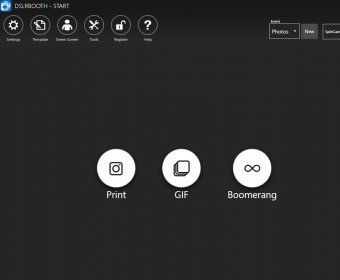
The tool is quite easy to use thanks to the design of its interface. There is a welcome menu to help you get straight to the intended task: photo booth or template editor. Moreover, you can use a wizard to connect your Nikon or Canon camera. Unfortunately, the help documentation is quite poor, so you need to rely on your intuition most of the times.
The program lets you organize your images by selecting the desired contents. For this purpose, there is a template manager. In this regard, it is possible to use one of the built-in presets or create new ones. Albums are a great and visually appealing way to organize your photos.
I was particularly interested in trying the Green Screen function, which uses Chroma key algorithms to replace the green background with any other. However, I was quite disappointed by the lack of configuration options and the mediocre results. more






Comments